
Set your profile and defaults
Update your details, date and time format, and the defaults that speed up each new entry.
Your profile controls how dates and units look and what a new entry starts with. If you have not set it up yet, start with Install and set up your profile.
Edit your profile
Section titled “Edit your profile”-
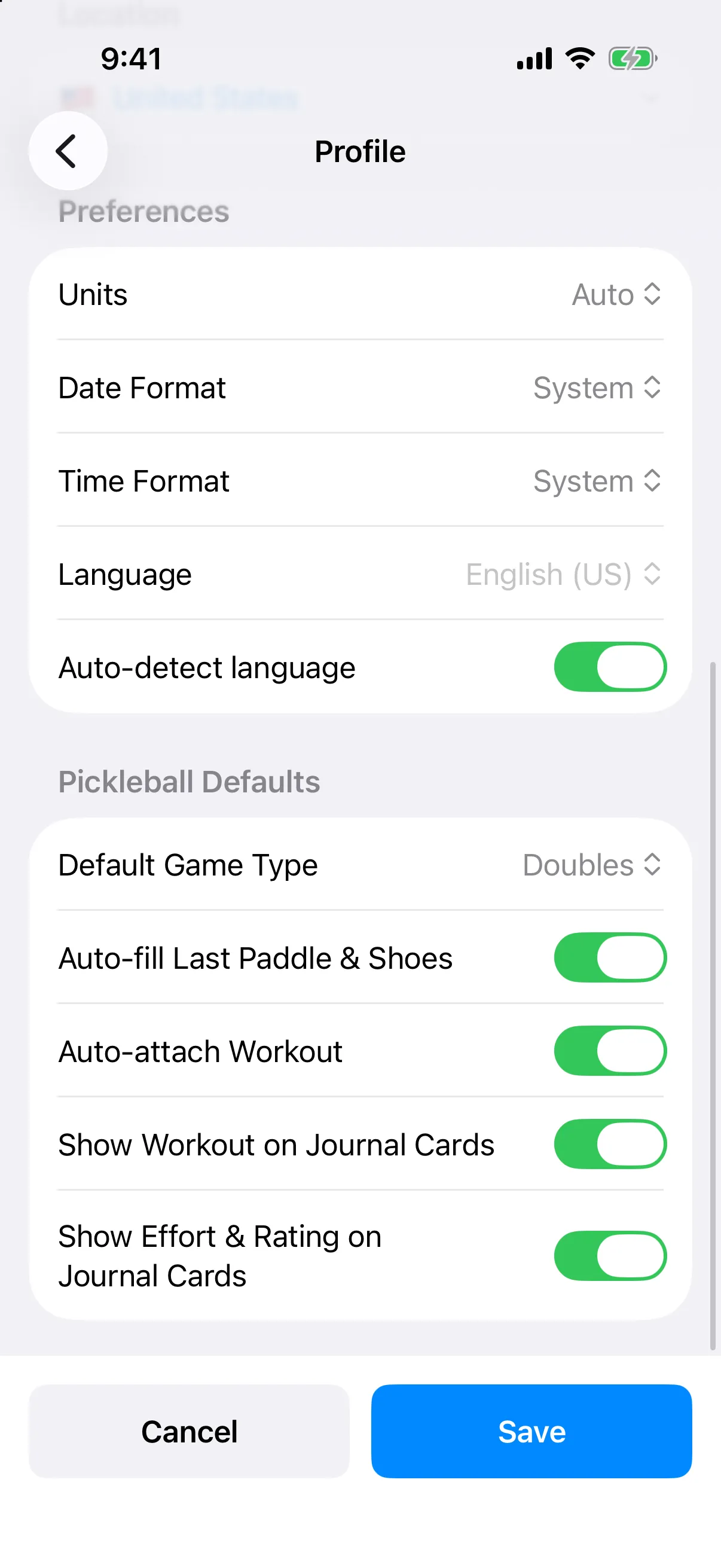
Open the menu and tap Settings, then Profile.
-
Change what you need, then tap Save. Tap Cancel to leave without saving. If you have unsaved changes, you are asked whether to Discard them or Keep Editing.
Date, time, and units
Section titled “Date, time, and units”Under Preferences:
- Units: Auto, Imperial, or Metric.
- Date Format: System, MM/DD/YYYY, DD/MM/YYYY, or YYYY-MM-DD.
- Time Format: System, 12-hour, or 24-hour.
- Language: English (US) or English (Canada). Turn on auto-detect to use your phone’s language.
Pickleball defaults
Section titled “Pickleball defaults”Under Pickleball Defaults:
- Default Game Type: Singles, Doubles, Mixed Doubles, or Skinny Singles. New games start with this type.
- Auto-fill Last Paddle & Shoes: new entries start with the equipment from your last entry.
- Auto-attach Workout: attaches a matching workout to the entry automatically.
Two more switches control what shows on cards in your journal list:
- Show Workout on Journal Cards
- Show Effort & Rating on Journal Cards
Turn them off for a more compact list. See Read your journal.
The journal card switches are on iPhone only.
Your Location (country, state or province, and postal code) is also on this screen.
To change the theme or accent color, see Change the theme and accent color.