
See your activity
Check how often you play, your streaks, and how your sessions are spread by tag, effort and rating.
Activity shows how often you show up and what your sessions are like.
Open Activity
Section titled “Open Activity”-
Open the menu (☰), then Analytics.
-
Tap the Activity tab.
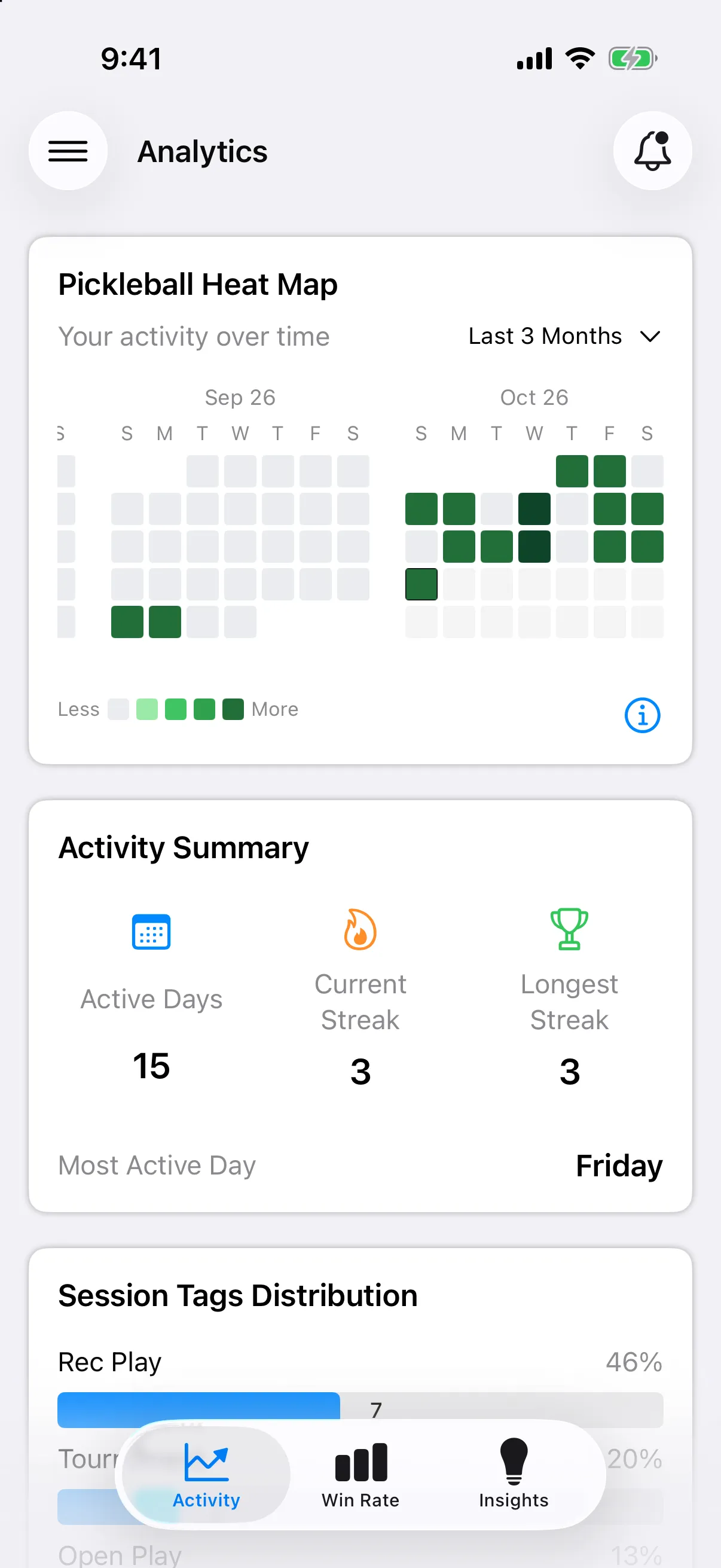
What you will see
Section titled “What you will see”- Pickleball Heat Map. A calendar of your sessions. See Read the heat map.
- Activity Summary. Active Days, Current Streak, Longest Streak and your Most Active Day.
- Session Tags Distribution. How your sessions split across your tags.
- Session Effort Distribution. How hard your sessions were, with your Average Session Effort.
- Session Rating Distribution. How you rated your sessions, with your Average Session Rating.
A section shows a message such as No effort data available until you have entries that fill it in. Rate your sessions when you log them. See Rate effort and session.
Change the time period
Section titled “Change the time period”Use the menu next to Your activity over time to pick a range such as This Month, Last 3 Months or This Year. The heat map and the numbers update.