
Find entries
Filter your Journal by entry type or session tag to find what you are looking for.
Use the filter to narrow your Journal to one kind of entry, or to the sessions you tagged a certain way.
-
In the Journal, tap the filter button at the top right.
-
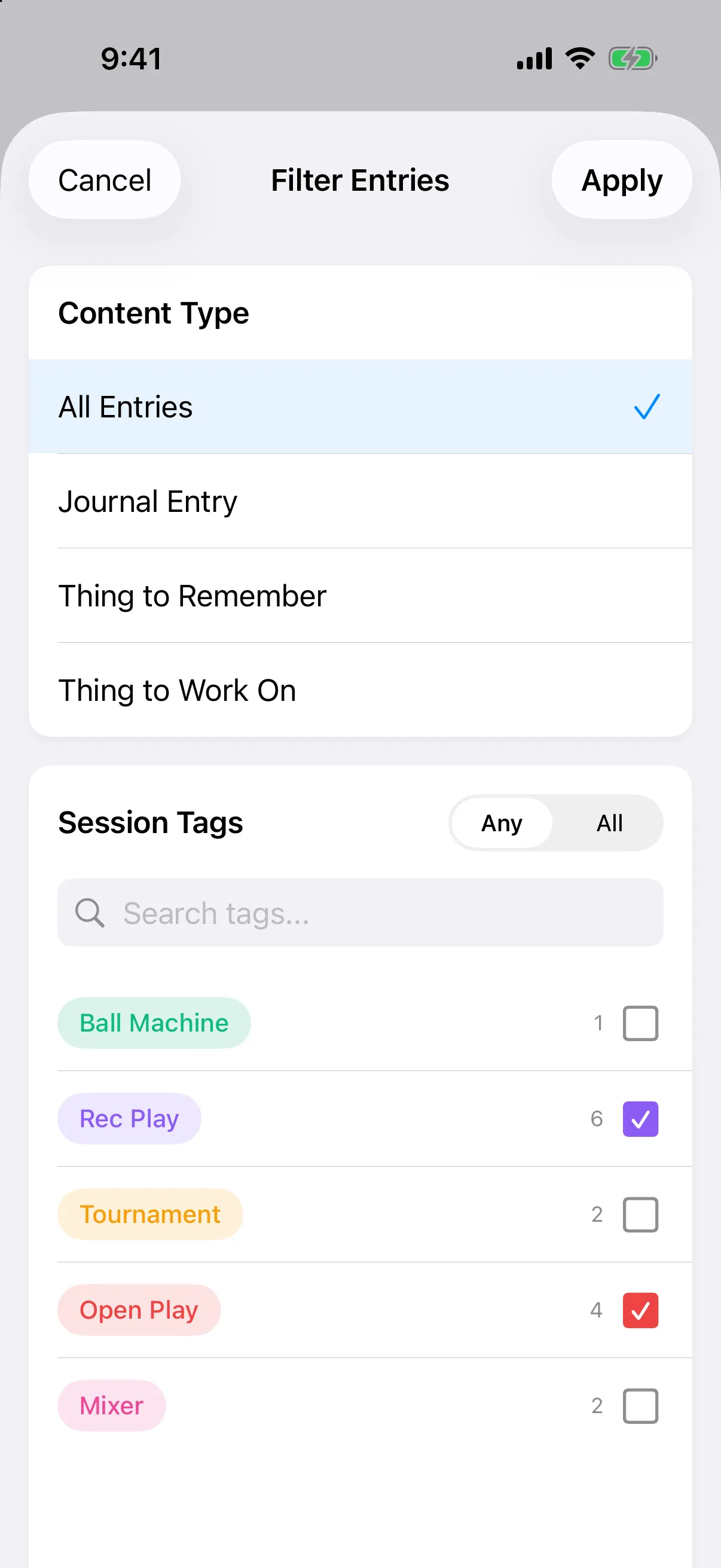
Under Content Type, pick All Entries, Journal Entry, Thing to Remember or Thing to Work On.
-
Under Session Tags, tap one or more tags. Use Search tags… to find a tag quickly.
-
With two or more tags chosen, pick Any (entries with at least one of them) or All (entries with every one).
-
Tap Apply.
While a filter is on, a bar at the bottom reads for example 2 filters active. Tap Clear to see everything again.
- In the Journal, tap the filter button in the top bar.
- Under Content Type, pick All Entries, Journal Entry, Thing to Remember or Thing to Work On.
- Under Session Tags, tap one or more tags. Use Search tags… to find a tag quickly.
- With two or more tags chosen, pick Any or All.
- Tap Apply.
While a filter is on, a bar at the bottom shows how many filters are active. Tap Clear to see everything again.