
Edit or delete an entry
Change an entry you already saved, or remove it from your journal.
Open any entry from the Journal to change it or delete it.
Edit an entry
Section titled “Edit an entry”-
Tap the entry in the Journal.
-
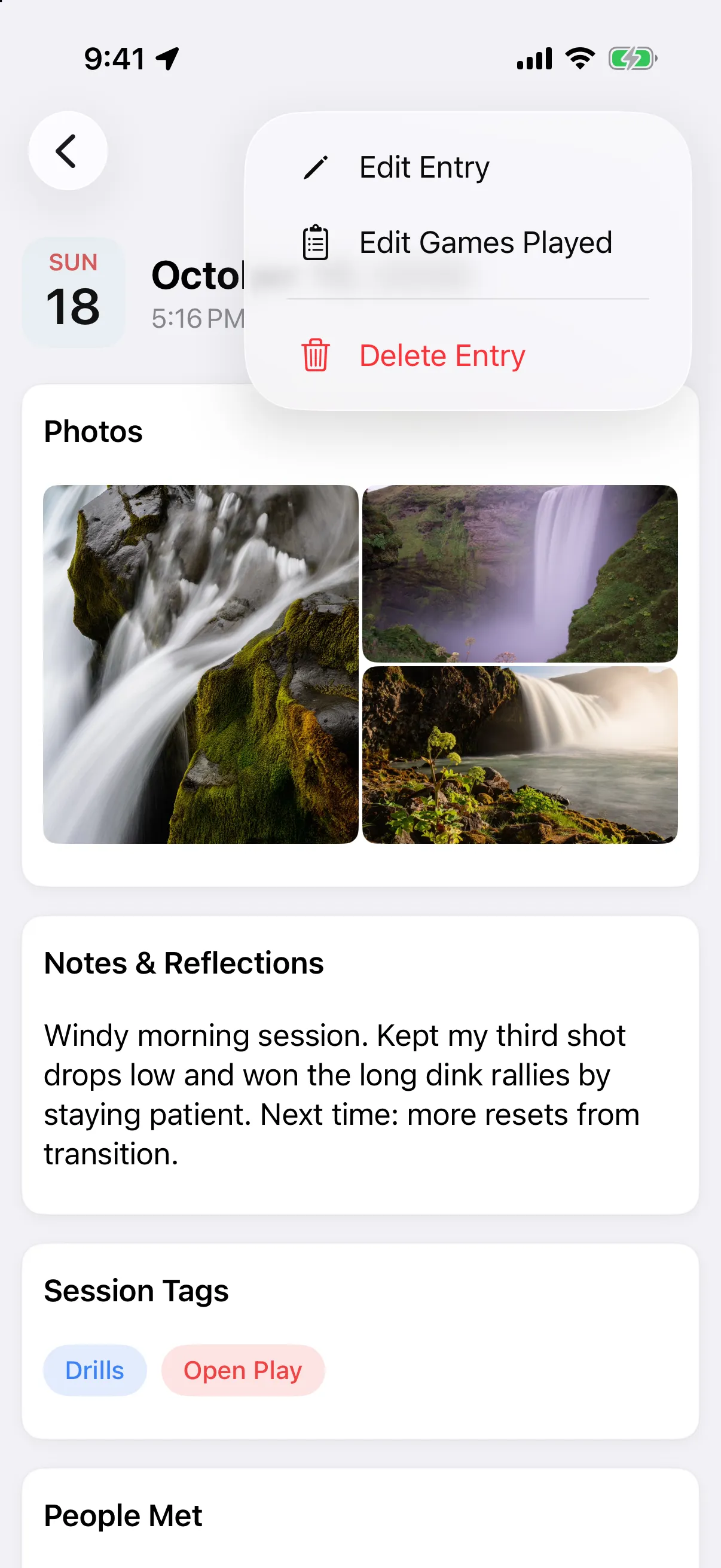
Tap ••• at the top right, then Edit Entry.
-
Make your changes and save.
If the entry has games, Edit Games Played opens the game list so you can fix a score or result without opening the whole form.
Delete an entry
Section titled “Delete an entry”- Open the entry, tap •••, then Delete Entry.
- Tap Delete to confirm.
Edit an entry
Section titled “Edit an entry”- Tap the entry in the Journal.
- Tap the ••• button at the top right, then Edit Entry.
- Make your changes and save.
Delete an entry
Section titled “Delete an entry”- Open the entry, tap the ••• button, then Delete Entry.
- Tap Delete to confirm.