
Retire or delete equipment
Mark gear as sold, damaged, or lost to keep its history, or delete it for good.
When you stop using something, change its status instead of deleting it. The item moves out of your Active list but keeps its history and the sessions it was linked to.
Change an item’s status
Section titled “Change an item’s status”-
Open Equipment and tap the item.
-
Tap the … menu at the top right, then Change Status.
-
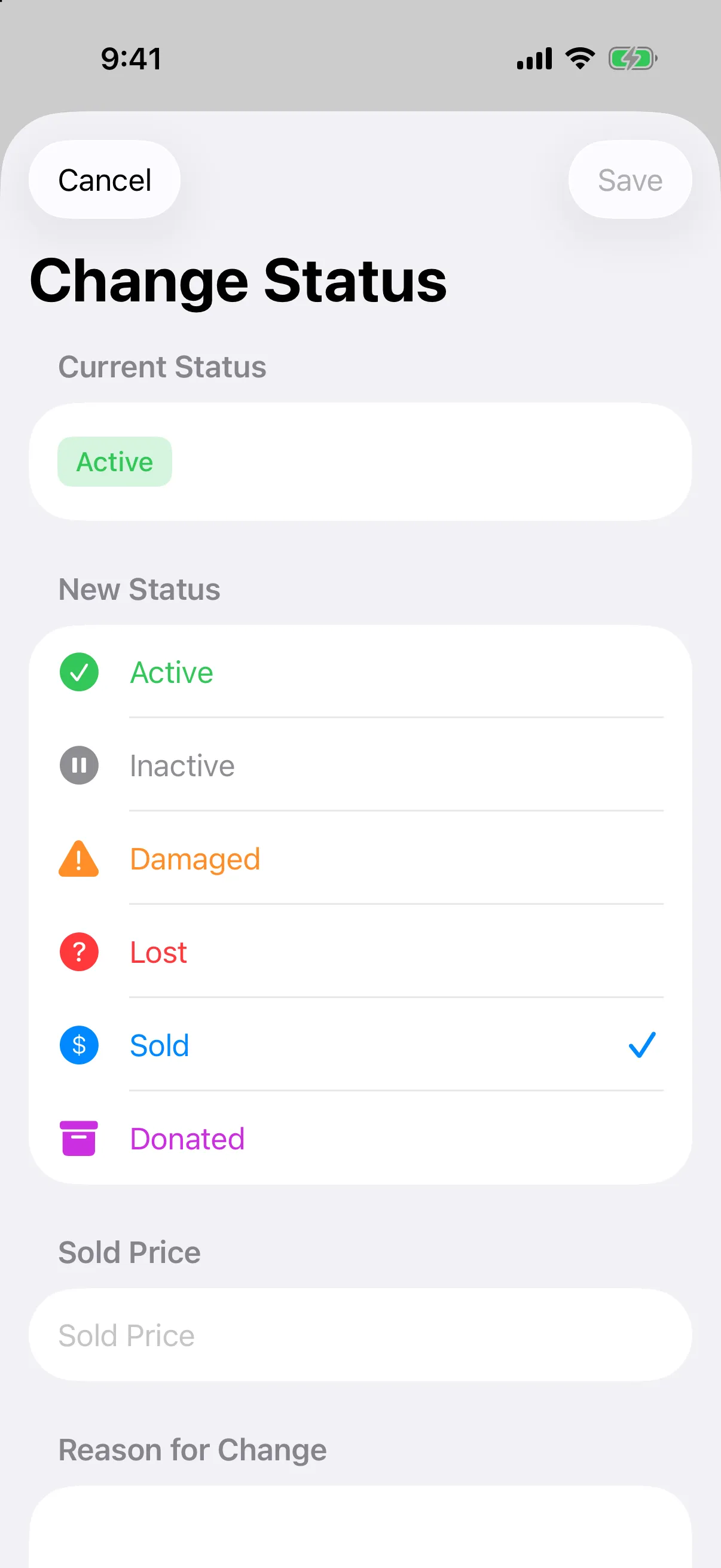
Under New Status, choose Active, Inactive, Damaged, Lost, Sold, or Donated.
-
If you chose Sold, enter the Sold Price.
-
Add a Reason for Change if you like, then tap Save.
To bring gear back, change its status to Active.
Delete an item
Section titled “Delete an item”Deleting removes the item for good.
- Open the item and tap the … menu, then Delete Equipment.
- Tap Delete to confirm.