
Add and edit people
Keep a list of the people you play with, with notes on their game, and see your history together.
People is your address book of playing partners and opponents. Add a person once, then pick them when you log a session. See Add people to an entry.
Add a person
Section titled “Add a person”-
Open the menu and tap People.
-
Tap + (Add Person).
-
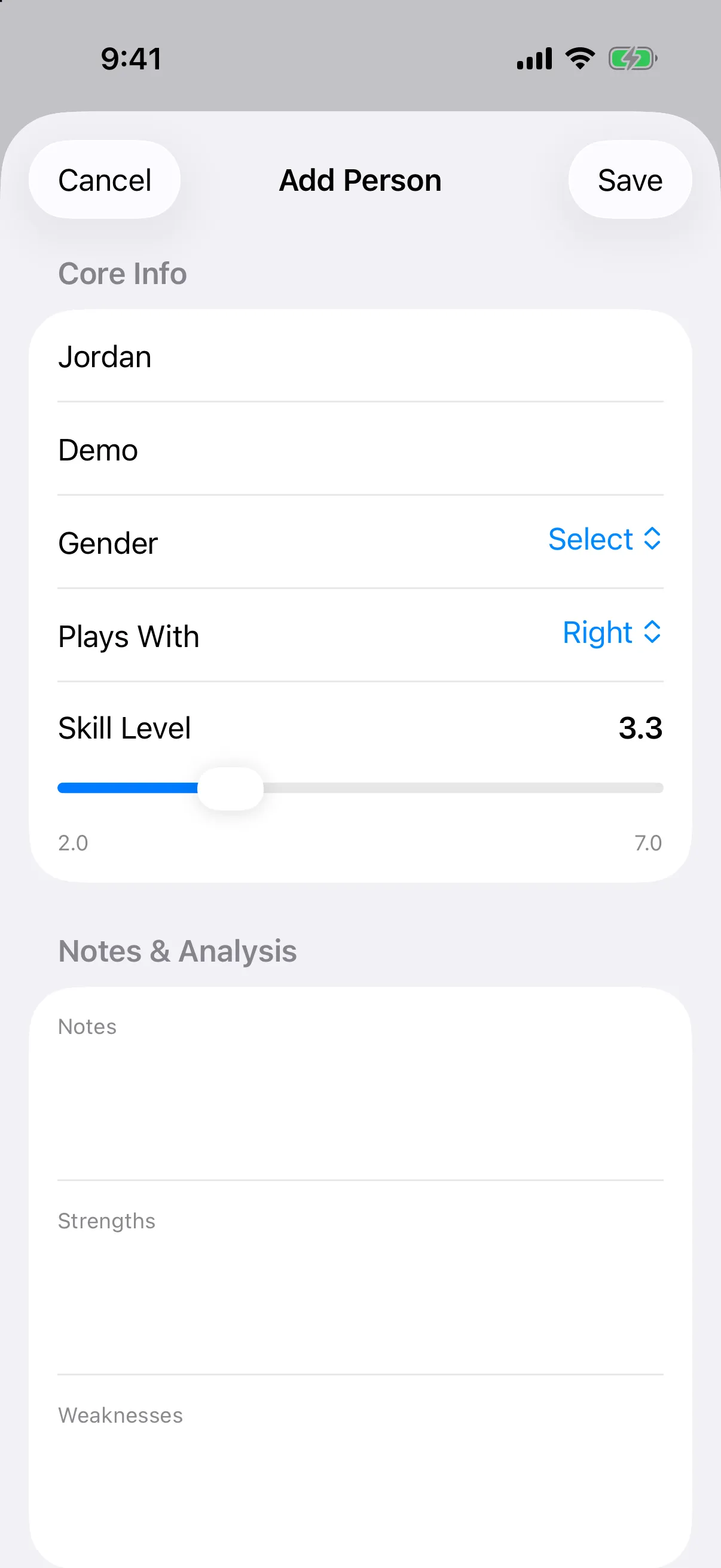
Enter a First Name. Everything else is optional: Last Name, Gender, Plays With (right, left, or both hands), and Skill Level.
-
Under Notes & Analysis, write Notes, Strengths, and Weaknesses.
-
Under Additional Info, tap a field such as Nickname, Phone, Email, Paddle, Home Courts, Hometown, or Age to add it.
-
Tap Save.
On iPhone, if someone with a similar name already exists you will see Similar People and a warning before you can create another.
Find, edit, or remove a person
Section titled “Find, edit, or remove a person”- Use the search bar to find someone. People are listed by the first letter of their first name.
- Tap a person to edit their details. Game History shows Games Together, As Partner, and As Opponent.
- To change a photo, tap it and choose Change Photo or Remove Photo.
- To delete someone, tap Delete Person at the bottom of their page. If they appear in games, the message tells you how many.
Import players from your old games
Section titled “Import players from your old games”On iPhone, if your games already list player names, a banner at the top of People says Import Existing Players with the number of names found. Tap it to turn those names into people.
Your own profile is not shown in this list. Edit it in Settings.