
Merge duplicate people
Combine two entries for the same person so their game history is in one place.
If you added “Sam” and “Samantha” for the same player, merge them. All games from both are combined under one person.
-
Open People and tap the person you want to keep.
-
Scroll down and tap Merge with Another Contact.
-
Pick the other person. Likely matches appear under Possible Duplicates, and everyone else is under All People.
-
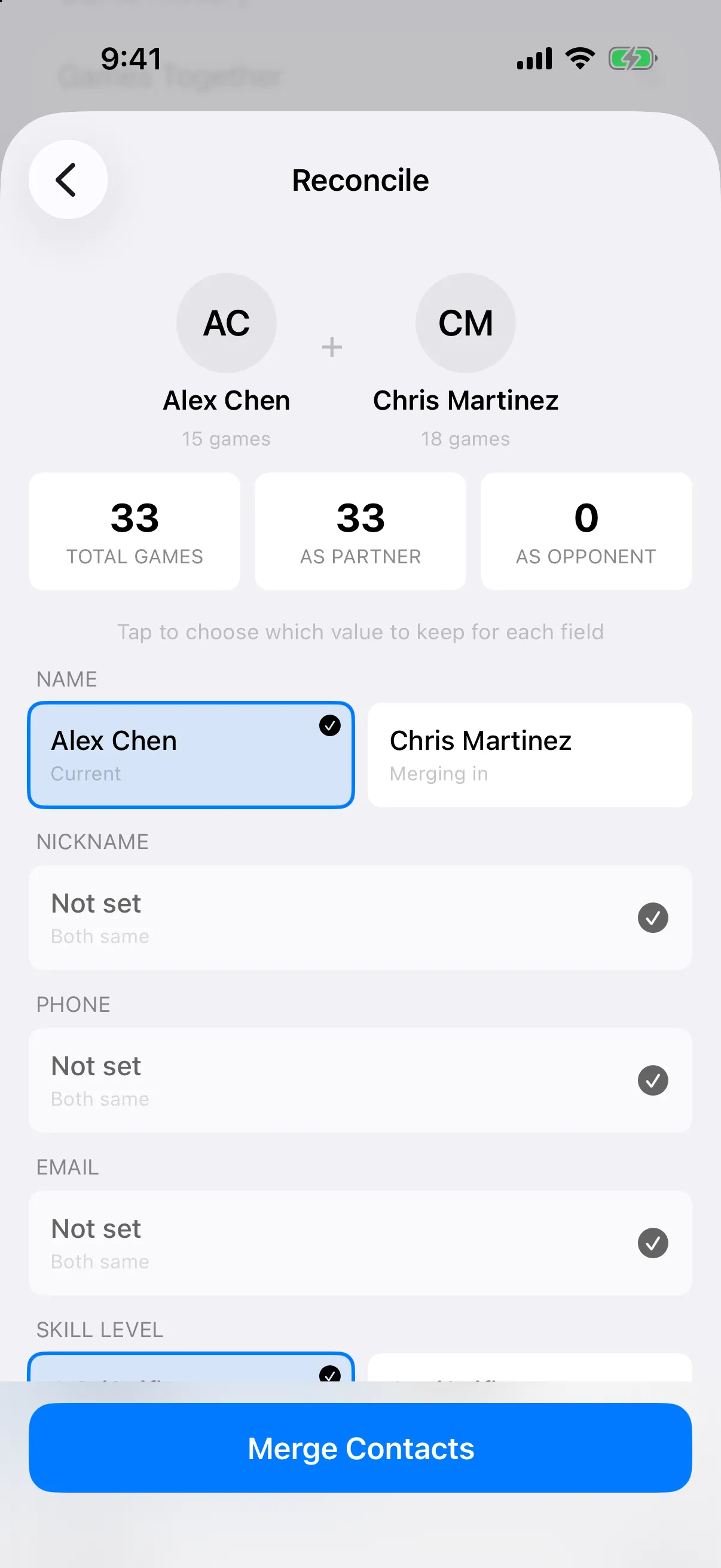
On Reconcile, tap the value you want to keep for each field. Fields that match say Both same.
-
Tap Merge Contacts, then Merge to confirm.
- Open People. If the app finds likely duplicates, a card says Possible Duplicates. Tap Review.
- For each group, tap the person to keep. It is marked KEEP.
- Tap the duplicates to fold in. They are marked MERGE.
- Tap Merge at the bottom (it says how many duplicates), then Merge again to confirm. Games from every merged person move to the one you kept.
To merge two specific people instead, open one, tap Merge with Another Contact, pick the other, choose the values to keep on Reconcile, and tap Merge Contacts.