
Get Pickleball Journal Pro
See what Pro unlocks, subscribe, and restore a subscription on a new phone.
Logging sessions is free. Pro unlocks Analytics and Expenses.
What is Pro
Section titled “What is Pro”Pro unlocks:
- Analytics
- Expenses, and the option to create an expense record when you add equipment with a cost
Everything else, including journal entries, games, tags, people, equipment, and backups, is free. Locked items show a lock or a Get Pro badge.
Subscribe
Section titled “Subscribe”-
Open the menu and tap Analytics or Expenses.
-
Pick a plan on the subscription screen and confirm.
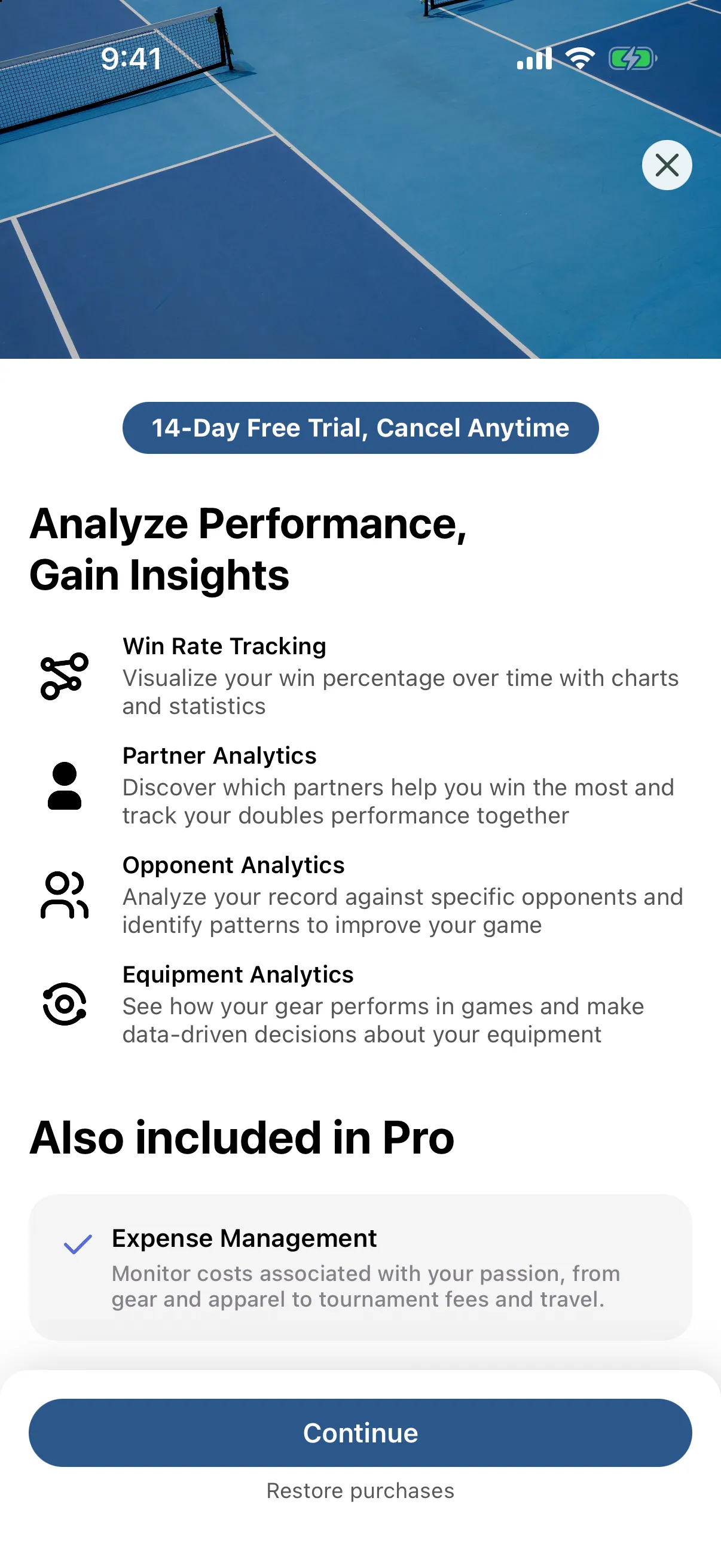
The subscription screen shows the plans and prices available to you.
Restore a subscription
Section titled “Restore a subscription”Use this on a new phone, or after reinstalling.
- Open Settings.
- Under Subscription, tap Restore Purchases.
You see Restore Successful when your subscription is found.
- Open Settings, then About.
- Under Subscription, check that Status says Active (Pro). If it says Free, tap Restore Purchases.
Manage or cancel
Section titled “Manage or cancel”In Settings, under Subscription, tap Manage Subscription. It opens your Apple subscriptions, where you can change or cancel.
The app has no manage button. Change or cancel your subscription in Google Play.