
Add equipment
Add a paddle, shoes, or other gear so you can track it and link it to your sessions.
Keep a list of your paddles, shoes, balls, and other gear. Each item has its own page with details, notes, and how long you have had it.
Before you start
Section titled “Before you start”- Equipment is free. You do not need Pickleball Journal Pro.
Add an item
Section titled “Add an item”-
Open the menu and tap Equipment.
-
Tap the + button at the bottom right. If you have no gear yet, tap Add Equipment.
-
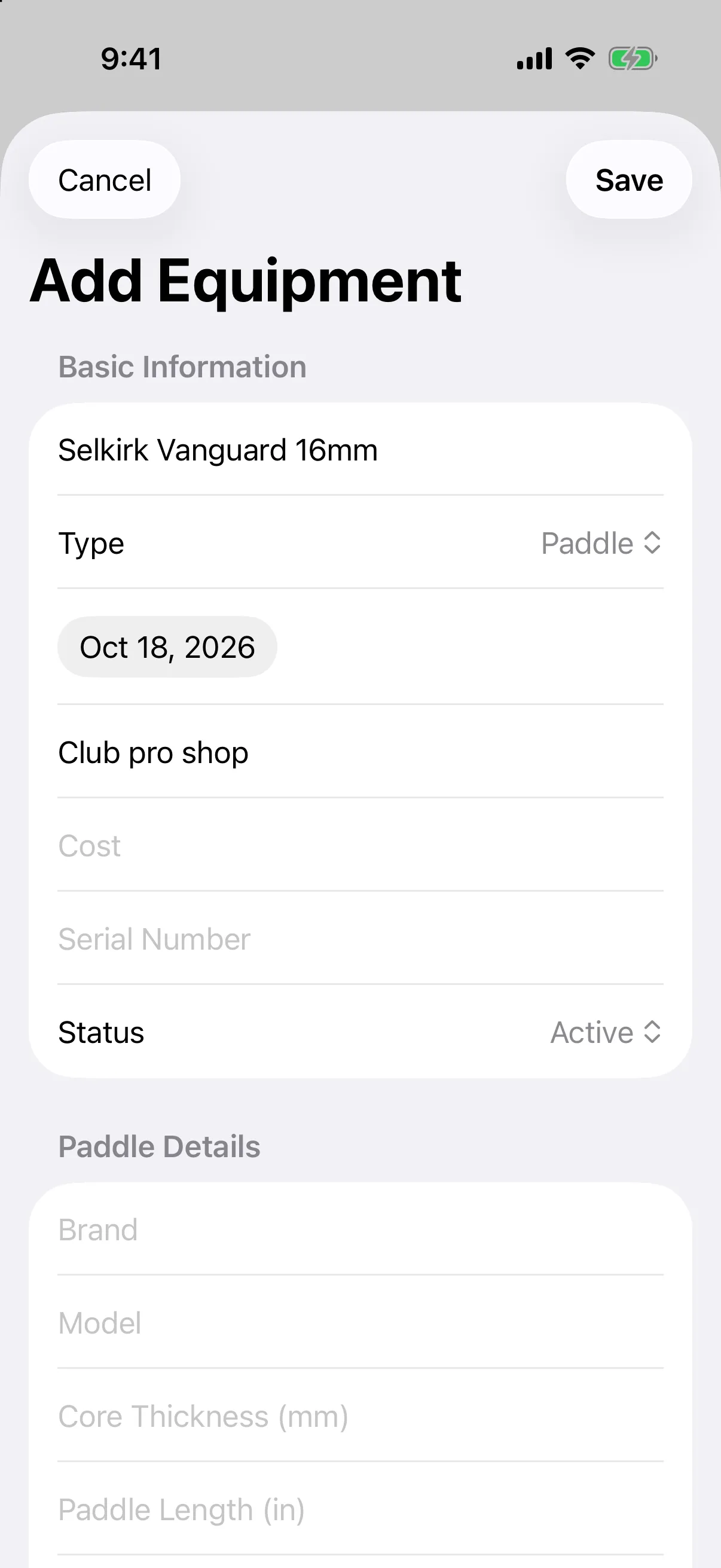
Under Basic Information, enter a Name and choose a Type: Paddle, Shoes, Balls, Bag, Accessories, or Apparel.
-
Fill in anything else you want to keep: Purchase Date, Purchase Location, Cost, Serial Number, and Status.
-
Fill in the details section that appears for the type you chose, such as Paddle Details (brand, model, weight, grip size) or Shoes Details (brand, size, color).
-
Add Notes or tap Add Images if you want photos of the item.
-
Tap Save.
- Open the menu and tap Equipment.
- Tap the + button, or Add Equipment if you have no gear yet.
- Enter a Name and choose a Type.
- Fill in anything else you want to keep, such as Purchase Location, Cost, Serial Number, and Status, plus the type-specific details.
- Tap Save.
Record the cost as an expense
Section titled “Record the cost as an expense”When you enter a Cost, an Expense Integration section appears. Turn on Create expense record for this equipment (on Android it reads Create expense record), pick a Payment Method, and the purchase is added to your expenses too.
Pick gear faster
Section titled “Pick gear faster”Your profile can fill in your last paddle and shoes on each new entry. See Set your profile and defaults.