
Add an expense
Record what you spend on pickleball, including repeating costs like club dues.
Log memberships, lessons, tournament fees, and gear so you can see what the game costs you.
Add an expense
Section titled “Add an expense”-
Open the menu and tap Expenses.
-
Tap Add Expense (the + button).
-
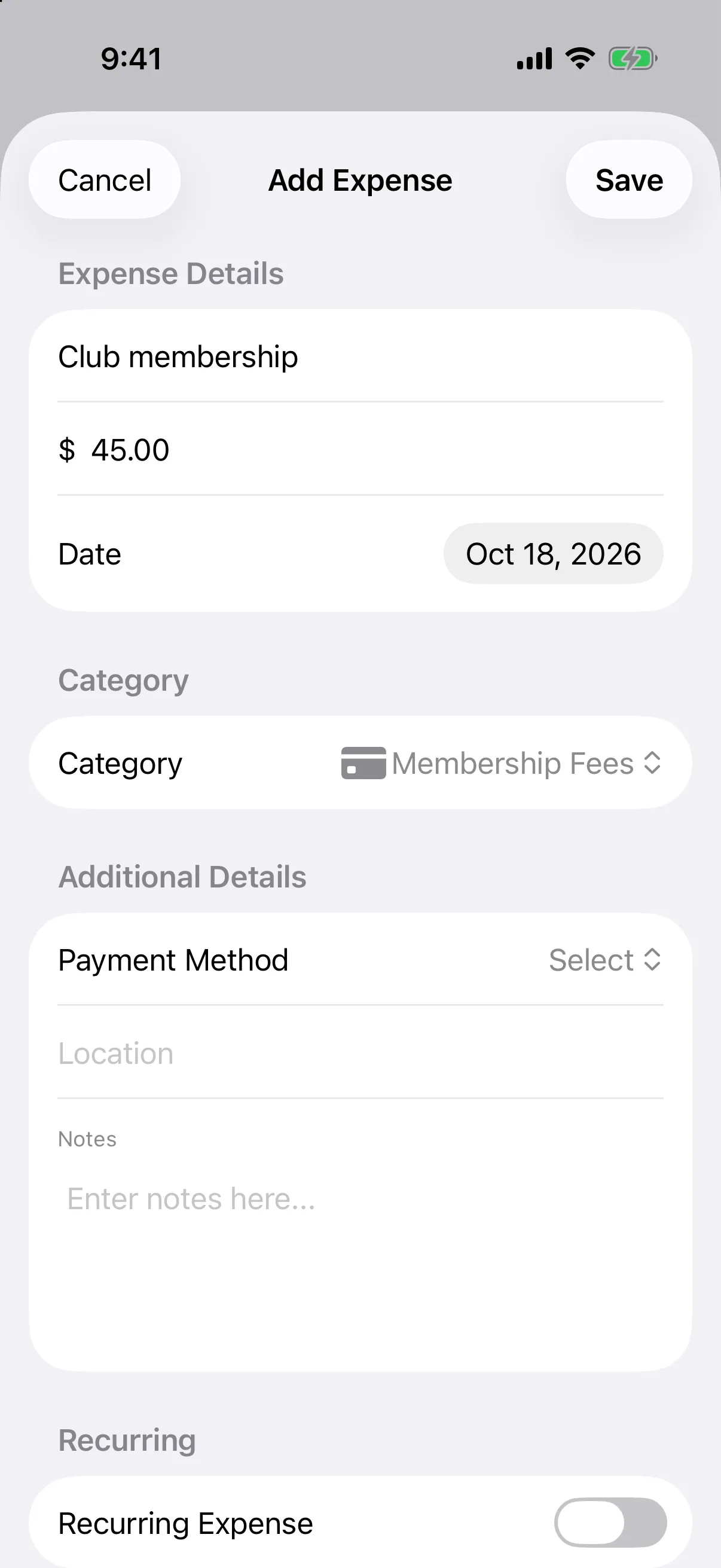
Under Expense Details, enter a Description, the Amount, and the Date.
-
Choose a Category: Membership Fees, Lessons, Tournament Fees, Equipment, Court Rental, Travel, Miscellaneous, or Income.
-
Optional: under Additional Details, choose a Payment Method (Cash, Credit Card, Debit Card, Electronic Transfer, or Other), add a Location, and write Notes.
-
Tap Save.
If you leave out the description or a valid amount, a Missing Information message tells you what to fix.
Make it repeat
Section titled “Make it repeat”For dues or a monthly court pass, turn on Recurring Expense in the Recurring section.
- Turn on Recurring Expense.
- Choose a Frequency: Every month, Every 3 months, or Once a year.
- To stop it automatically, turn on Has End Date and pick the End Date.
- Tap Save.
Add gear from an expense
Section titled “Add gear from an expense”When the category is Equipment, an Equipment Integration section appears. Turn on Create equipment record from this expense, choose the Equipment Type, and optionally add a Serial Number (optional). The gear is added to your equipment list.
Edit, copy, or delete an expense
Section titled “Edit, copy, or delete an expense”Tap an expense in the List to open Expense Details.
- Edit changes any field.
- Duplicate starts a new expense from this one, handy for similar costs.
- Delete removes it. For a repeating expense you choose how much to remove: this payment only, this and future payments, or the entire series.
On Android, you can also swipe an expense left in the list and tap the trash button to delete it.