
Log a session
Record a pickleball session with its date, location, notes, games, and more.
A journal entry is one session. Only the notes are needed on iPhone. Every other section is optional.
Start an entry
Section titled “Start an entry”-
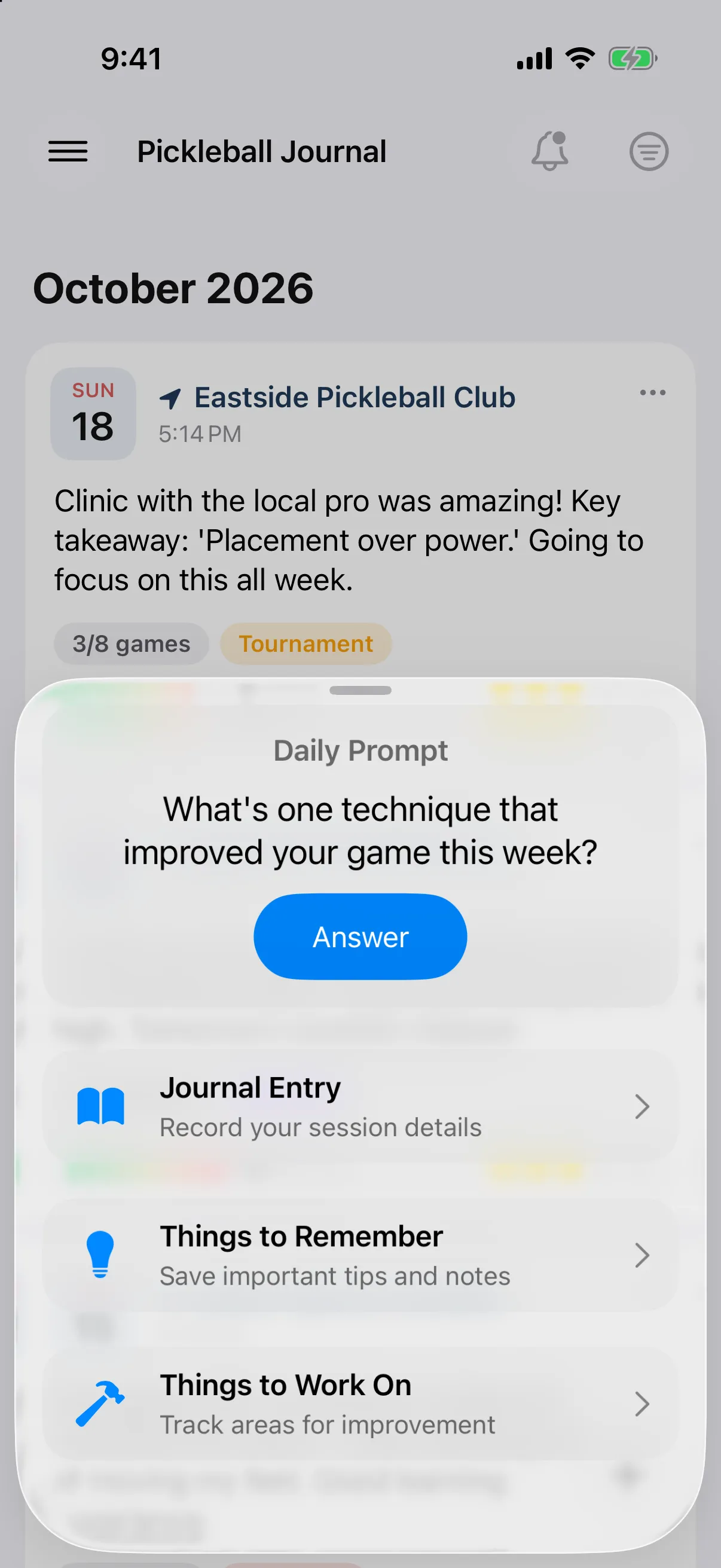
On the Journal screen, tap the + button.
-
Tap Journal Entry.
Fill it in
Section titled “Fill it in”-
Tap the date at the top to change when the session happened. Pick a date and time and tap Save.
-
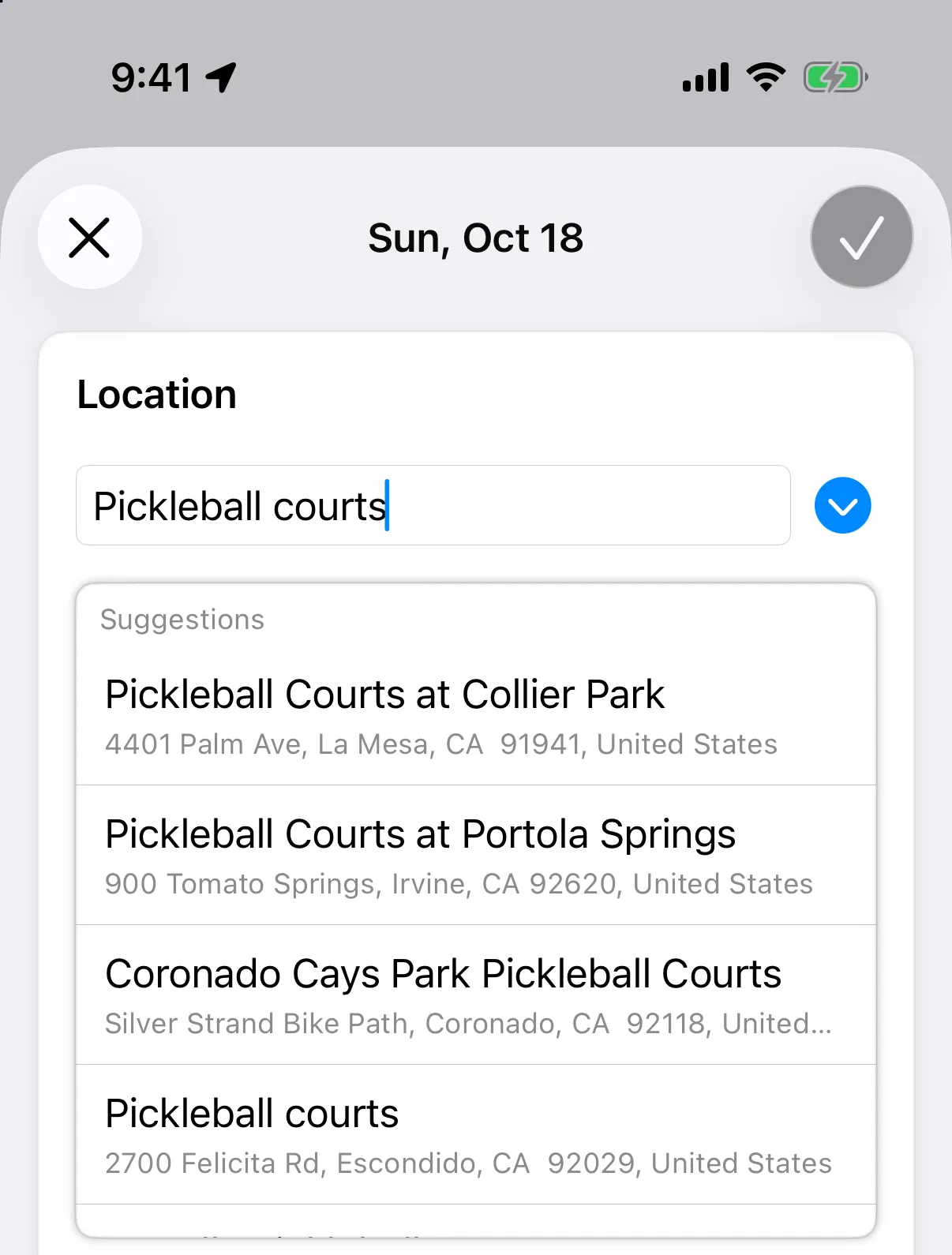
Under Location, tap the field and search, then pick a suggestion. Tap the arrow beside it to choose from Recent Locations or In My Journal.
-
Write under Notes & Reflections.
-
Add anything else you want from the sections below.
-
Tap Save (✓ on iPhone).
The sections are:
- Location: outdoor sessions get weather.
- Notes & Reflections: has buttons above the text for bold, bullet lists, and numbered lists.
- Game Tracking: track games.
- Apple Fitness Workout: add a workout.
- Session Tags: add tags.
- People Met: add people.
- Media: add photos and videos.
- Equipment: choose Paddle Used and Shoes Used.
- Ratings: rate effort and session.
Save stays greyed out until you type notes. The entry saves as a draft while you work.
The sections are:
- Location
- Notes & Reflections
- Game Tracking: track games.
- Session Tags: add tags.
- Media: add photos and videos.
- Ratings: rate effort and session.
- Equipment: choose your paddle and Shoes Used.
- Workout Data: add a workout.
- People Met: add people.
Save works once you add notes, a location, a game, or a photo or video.
Read your journal or edit an entry later.